Appliance Reset - How to reset the appliance?
Issue
- Resetting the appliance
- How do I reset the appliance?
Applies to:
- Oven
- Hob level
- Cooker
- Dishwasher
- Washing machine
- Fridge
- Freezer
- Tumble dryer
- Extractor fan
Resolution
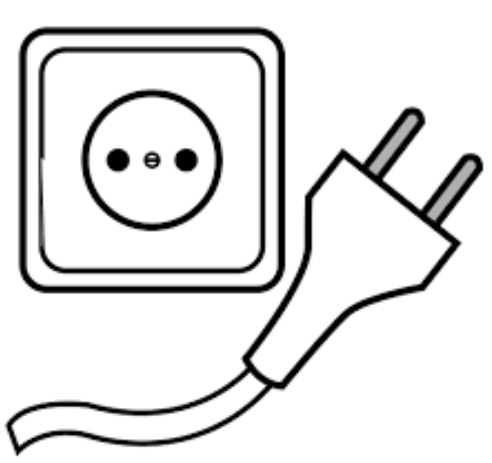
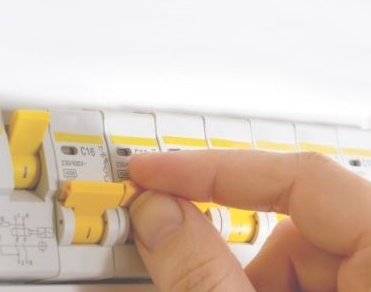
Reset the appliance by unplugging for 30 min or using the house's fuse box to disconnect the device's fuse. (The fuse is easier for devices that are permanently connected to the electrical network/ the plug is difficult to remove)
Was this article helpful?
Related Articles
- How to set a cooker timer (duration) / minute minder
- How to clean the Electrolux oven with pyrolytic function? (video)
- How to Set the Oven Clock
- Oven displays SAFE or padlock symbol
- Oven light does not work
- Symbols and functions on your Electrolux oven
- How To Remove Oven Shelf Supports For Cleaning
- How to use Catalytic Cleaning on your Electrolux oven
- Oven clock flashes or time displaying 00:00 / 12:00 - Electrolux
- Oven displays error code (F and number)
Spare parts & Accessories
Find original spare parts for your appliance in our webshop and have them delivered directly to your door.
Related Articles
- How to set a cooker timer (duration) / minute minder
- How to clean the Electrolux oven with pyrolytic function? (video)
- How to Set the Oven Clock
- Oven displays SAFE or padlock symbol
- Oven light does not work
- Symbols and functions on your Electrolux oven
- How To Remove Oven Shelf Supports For Cleaning
- How to use Catalytic Cleaning on your Electrolux oven
- Oven clock flashes or time displaying 00:00 / 12:00 - Electrolux
- Oven displays error code (F and number)