Tumble dryer - How to replace the front panel
Resolution

Refer always to your product’s user manual safety information before any repair or maintenance operation. https://www.electrolux.com/support/user-manuals/

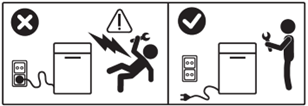
WARNING! RISK OF ELECTRIC SHOCK
Before any repair or maintenance operation, deactivate the appliance and disconnect the mains plug from the socket.
WARNING! RISK OF INJURY

Always take care when moving appliances. For heavy appliances it's safest for two persons to move it. Always use safety gloves and safety footwear. Wear safety gloves at all times to protect from cuts from sharp edges.
WARNING! RISK OF EYE INJURY

Wear safety glasses if you perform maintenance or repair work involving springs.
WARNING! RISK OF PINCHING

Wear safety glovesif you perform maintenance or repair work involving belts.

WARNING! CHOKING HAZARD
Small parts not for children under 3 years. Keep all small parts and packaging out of reach of children.
Only adults should use or install the product.
Always empty the appliance of all the water, e.g. tumble dryer water container. Any maintenance should be carried out with the appliance standing upright. Residual water could damage electronics if the appliance is placed on any of its sides.
Make sure to use the product only for its designated purpose and verify that it is a compatible part for the intended product.
Do not use or install the product if damaged.
Please note that self-repair or nonprofessional repair can have safety consequences if not done properly and might void the warranty. Possessing the necessary know-how is essential.
HOW TO REPLACE THE FRONT PANEL
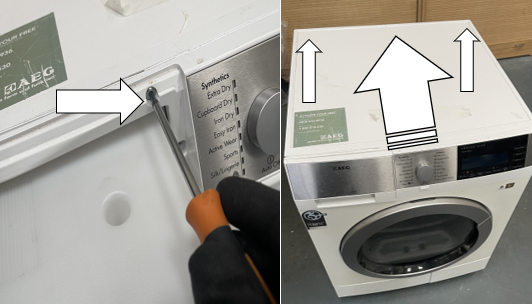
1. Unscrew the Torx 20 screw in the condenser drawer housing. Then unscrew the two Torx 20 screws on the back of the appliance lid and slide back to release.
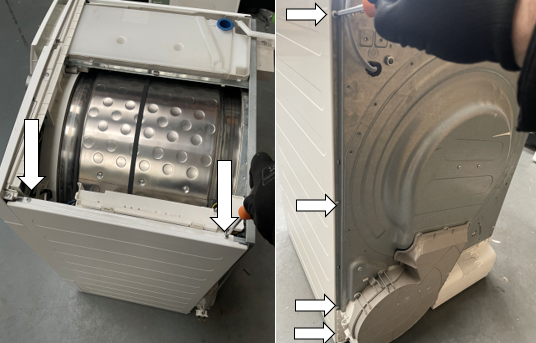
2. Unscrew the four Torx 20 screws on the back of the right side panel and the two Torx 20 screws on the top of the right side panel.
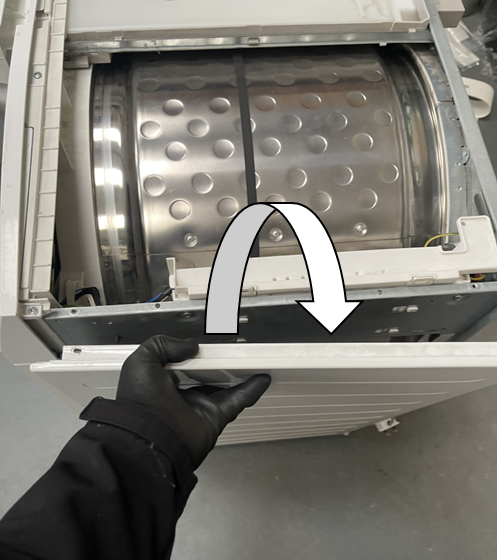
3. To remove the right-side panel, pull the panel up and away from the body of the machine to release the panels from the securing tabs at the bottom and on the side. Repeat steps 2 and 3 for the left-hand side.
4. NOTE: When reinstalling slot the side panel into the three bottom tabs and the three side tabs to ensure the panels flush with the body of the appliance.
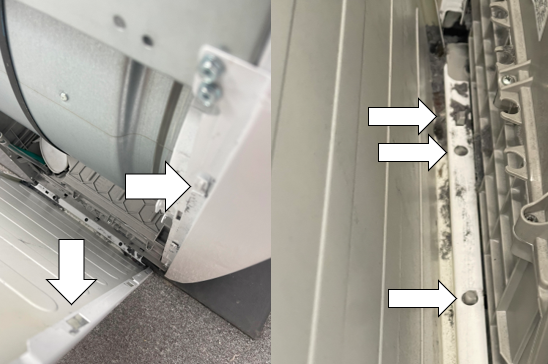
5. Remove the water tank.
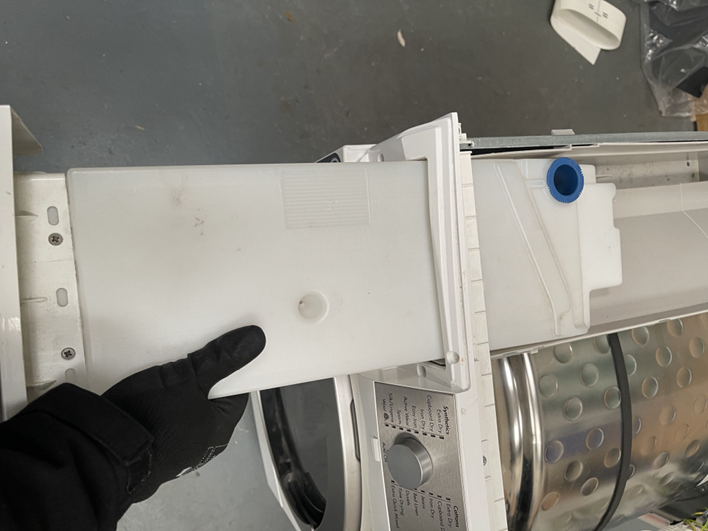
6. Unscrew the three Torx 20 screws on the top of the control panel and the two Torx 20 screws in the water tank housing.
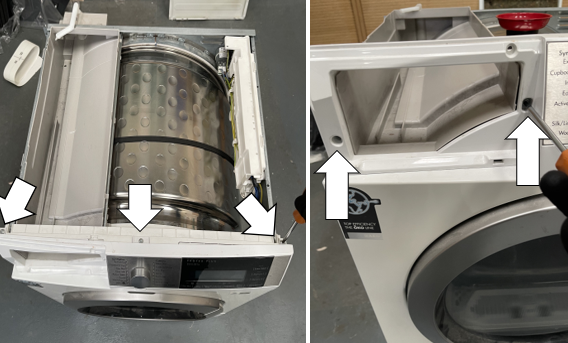
7. Lift off the control panel from the body of the appliance.
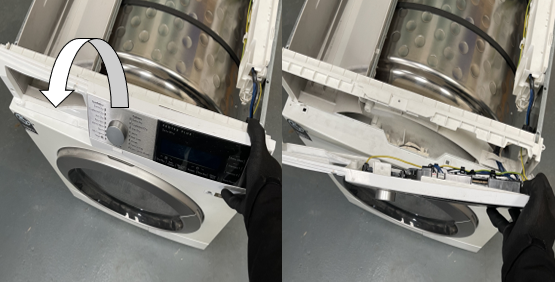
8. Use a small flat bladed screw driver to remove the screw cover around the door latch, then unscrew the four Torx 20 screw around the door/latch housing.
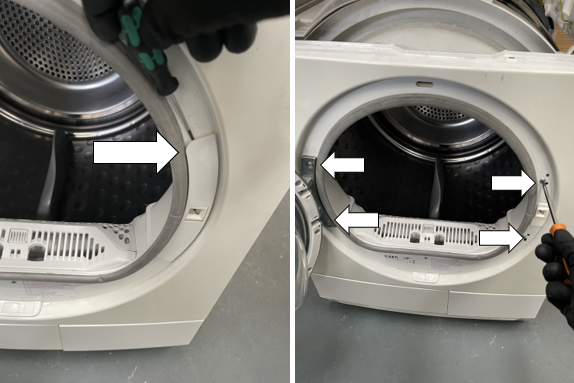
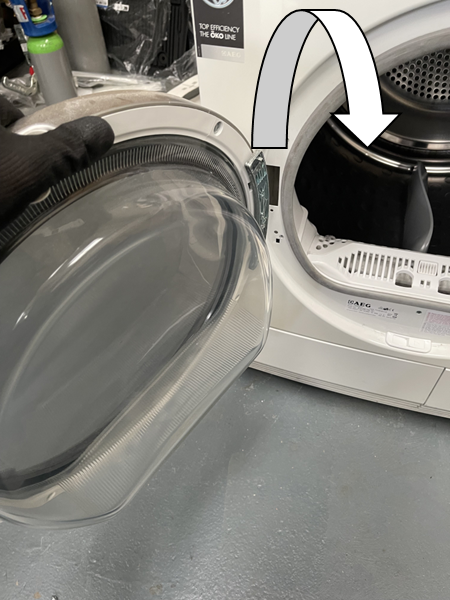
9. Carefully lift the door and hinge to release from the body of the machine
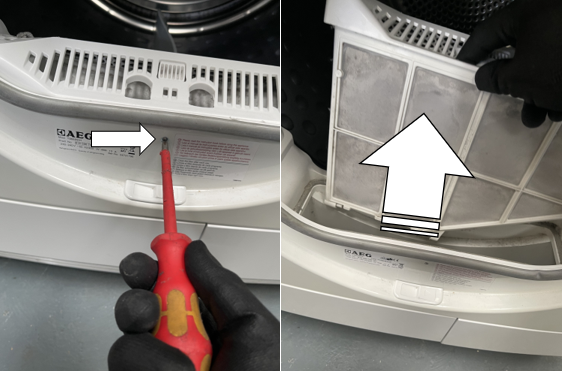
10. Unscrew the PH2 screw below the filter housing and remove the door filter
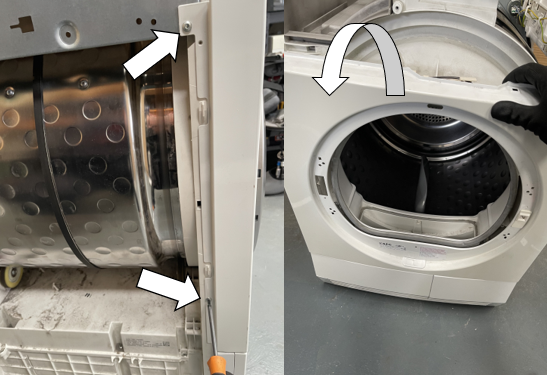
11. Unscrew the two Torx 20 screws from each side of the front panel and pull the panel forward to release from the body of the machine.
(Note: Ensure that you pull the seal fully through when reinstalling, if it is not installed correctly, you will hear whistling from the door during use).
12. Slide the door catch up and push it through the front panel to release
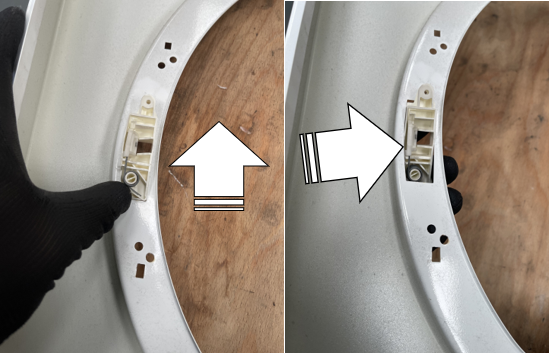
13. When assembling repeat steps in reverse order.
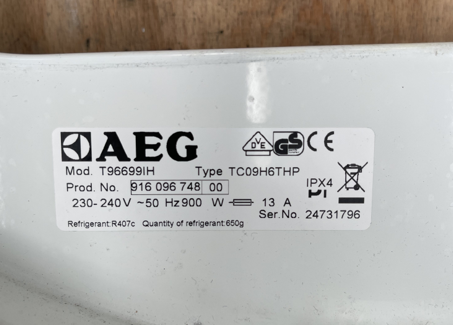
Note: Ensure all additional parts are transfered from the old front panel to the new one. It is recommended to exchange the rating plate from the old front panel also.
Was this article helpful?
Related Articles
- Tumble dryer - How to replace Electric Valve (1)
- Tumble dryer - How to replace Electric Valve (2)
- How to replace drain pump
- How to replace door lock
- Tumble Dryer - How to replace the inverter electronic board
- Tumble dryer - How to replace the anti-interference filter
- Tumble Dryer - How to replace the user interface board
- Tumble dryer - How to replace the bearing assembly
- Tumble Dryer - How to replace the washer ring
- Tumble Dryer - motor replacement
Spare parts & Accessories
Find original spare parts for your appliance in our webshop and have them delivered directly to your door.
Book a service
Having issues with your appliance? Book a reliable and professional service from our expert technicians to get your product up and running.
Related Articles
- Tumble dryer - How to replace Electric Valve (1)
- Tumble dryer - How to replace Electric Valve (2)
- How to replace drain pump
- How to replace door lock
- Tumble Dryer - How to replace the inverter electronic board
- Tumble dryer - How to replace the anti-interference filter
- Tumble Dryer - How to replace the user interface board
- Tumble dryer - How to replace the bearing assembly
- Tumble Dryer - How to replace the washer ring
- Tumble Dryer - motor replacement