How to connect your appliance
Resolution
My Electrolux Care App Start Guide for using Connectivity

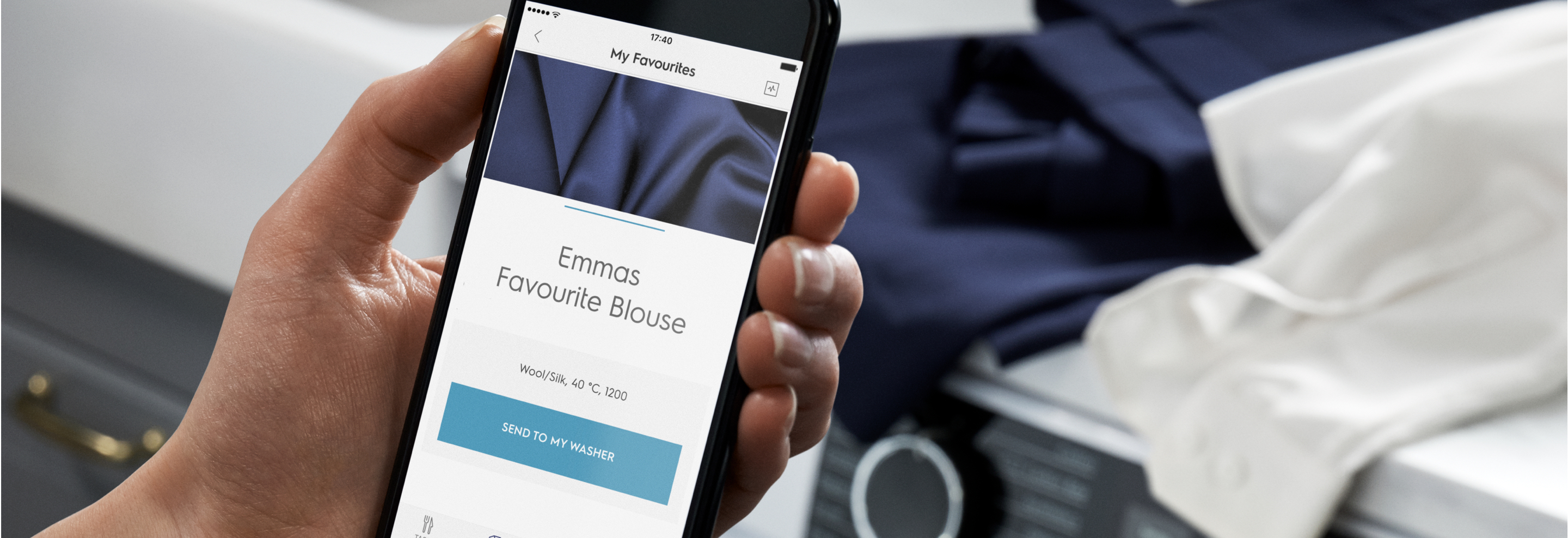
A soft silk blouse that feels sensational. With the connected My Electrolux Care app, everything is cared for in just the right way. Simply connect your app to the machine for a smarter, faster way to effortless care. With a tap, the expert Care Advisor suggests the best programmes for your clothes while our innovative technology cleans even woolens, outdoor garments, silks, delicates and handwash only items. And better still, there’s no need to read care labels, because that’s our remit.
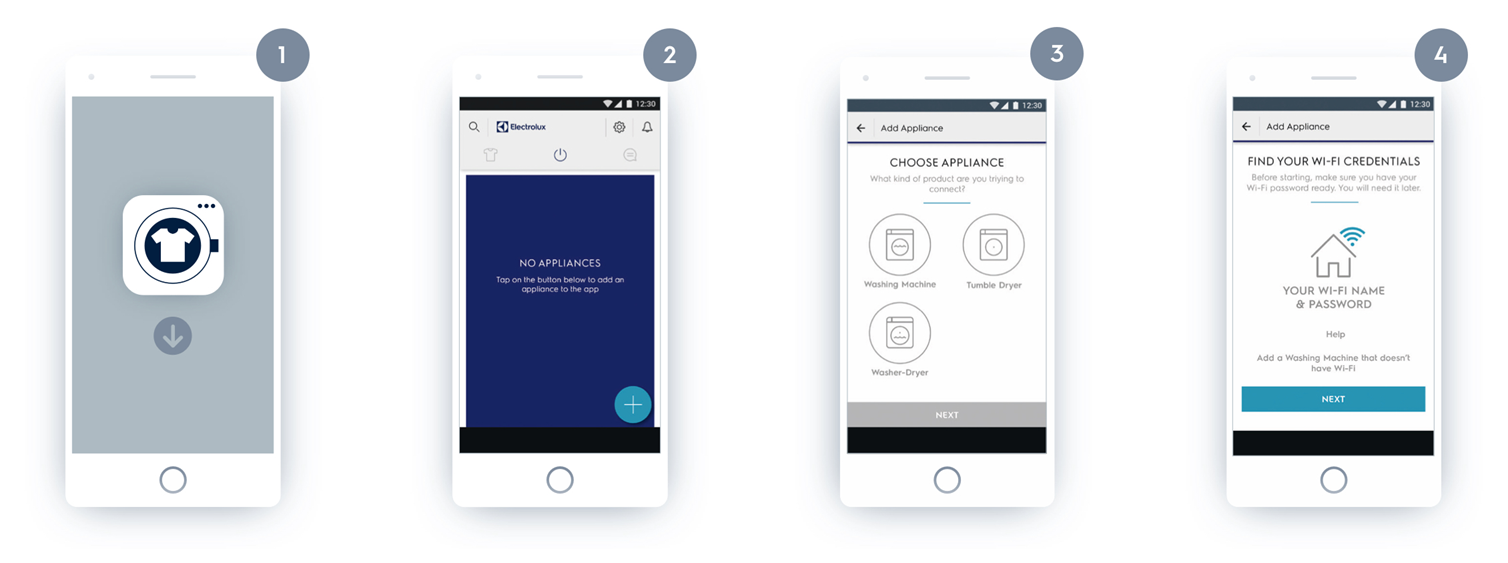
1. Start My Electrolux Care App. Select Country & Language. Create an Account. Open the Appliances tab. (Appliances tab is in the top menu (Android) or bottom menu (iOS.))
2. Tap on the + icon to add a product.
3. Choose your product type to connect. In case your appliance supports Bluetooth, make sure it’s on
4. Make sure to keep your name and password to your home network ready.
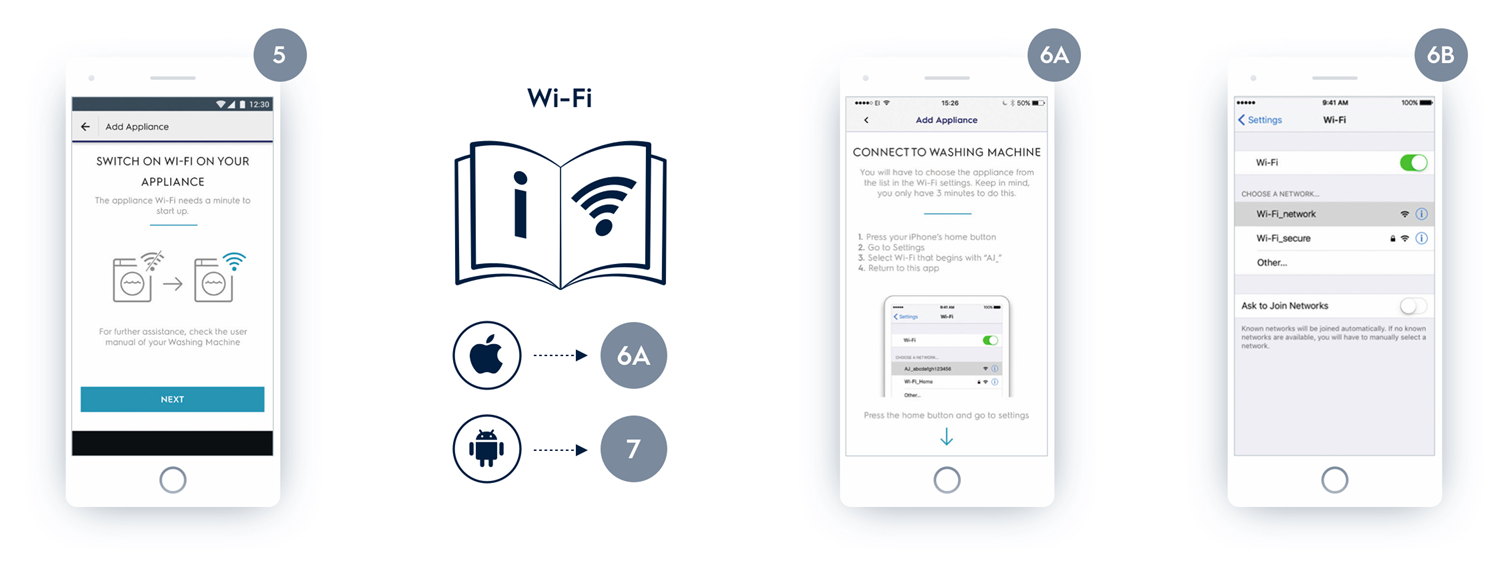
5. Switch on the WiFi on the appliance. To enable WiFi on appliance, check the WiFi-Connectivity Setup section of the User Manual.
The start guide is general, but certain steps apply only to Apple iOS and Android OS.
If you are using Apple, and your appliance supports Bluetooth, follow the next steps:
6A: Choose your appliance (AJ_) from the screen and press Continue.
6B: After connecting, provide your Wi-Fi credentials.
If you are using Apple, but your appliance just supports Wi-Fi, follow the next steps:
6A. Connect the Wi-Fi of your appliance. Press the Home button to close the app.
GB. Go to Settings in iOS and open Wi-Fi. Connect to AJ_* network and go back to My Electrolux Care App.
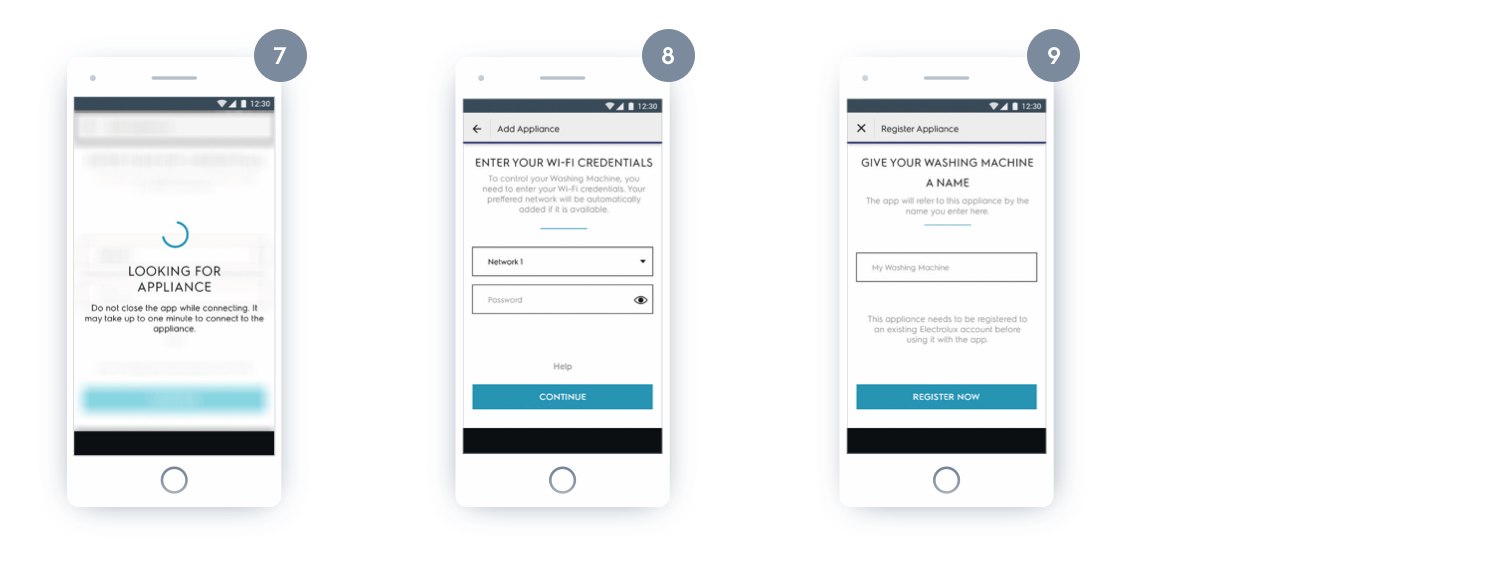
7. The app connects to your appliance.
8. Select the network you want your appliance to connect to, and enter the password.
9. Once the network has been configured, you can name your appliance.
Congratulations, you are now connected and can start using My Electrolux Care App with your appliance!
Was this article helpful?
Related Articles
- Washing machine does not drain, displays error code E20, E21 or C2, emits 2 beeps / 2 flashes
- The door of the washing machine cannot be opened
- Recently installed washing machine does not start
- Washing machine does not heat water, and does not display an error message
- Electrolux washing machine making strange noises when draining or spinning – causes and fixes
- Using liquid detergent / What is the flap in my washing machine dispenser for?
- Washing machine displays error message EHO / EH0
- Cleaning the washing machine’s rubber seal if it's dirty
- Can I connect my washing machine to a hot water line?
- Washing machine displays padlock - Electrolux
Related Articles
- Washing machine does not drain, displays error code E20, E21 or C2, emits 2 beeps / 2 flashes
- The door of the washing machine cannot be opened
- Recently installed washing machine does not start
- Washing machine does not heat water, and does not display an error message
- Electrolux washing machine making strange noises when draining or spinning – causes and fixes
- Using liquid detergent / What is the flap in my washing machine dispenser for?
- Washing machine displays error message EHO / EH0
- Cleaning the washing machine’s rubber seal if it's dirty
- Can I connect my washing machine to a hot water line?
- Washing machine displays padlock - Electrolux